The Joiner View and Super Search Update
The second GOMdrop update of 2026 has dropped, and as promised it's the GOM-focused follow-up to our last one.
This time around we're shipping two big things: joiner views, a single page that pulls together everything you've got going on with a particular joiner, and super search, a search bar that works across all of your orders, crates, shipments, and joiners from anywhere in the manage area.
If you just wanted the quick version, that's it! Head into your manage area and poke around. If you want the details and the story, read on.
What's New?
Joiner Views
If you've been running orders for a while, you've probably had this moment: a joiner messages you, and to actually answer their question you need to open three browser tabs, cross-reference two spreadsheets, and squint at your inbox. Were they in the November order? Did their package ship? What was that note you wrote about their address?
Joiner views fix that. Every joiner now has a dedicated page in your manage area that pulls together everything they've ever done with you in one place. From the manage area, you'll find a new Joiners section that lists everyone you've ever interacted with, sortable by activity, order count, and more.
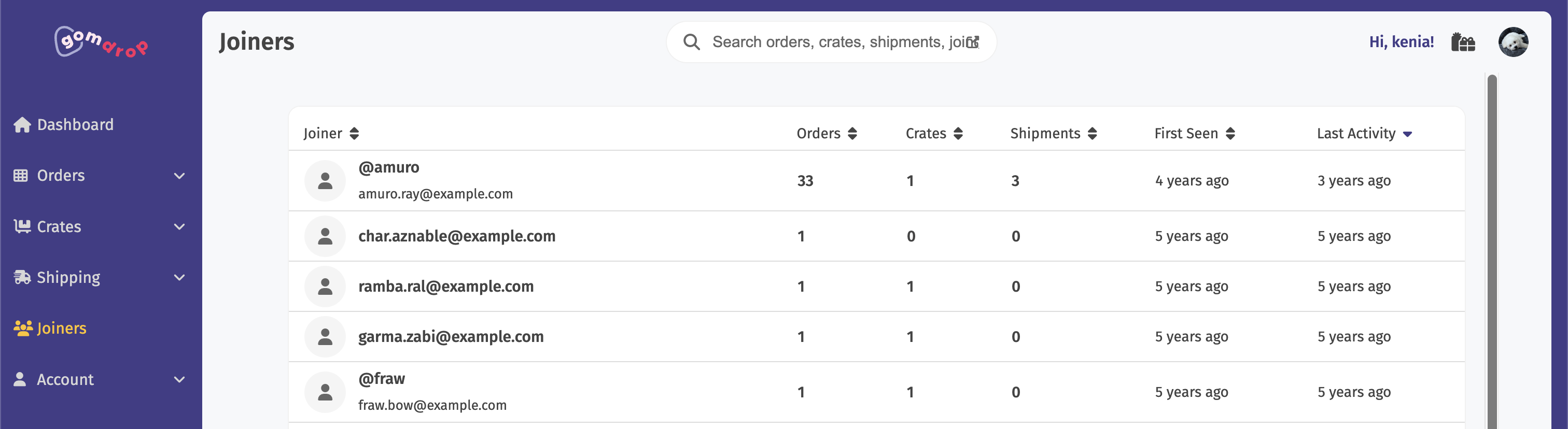
Click any joiner and you land on their individual page.
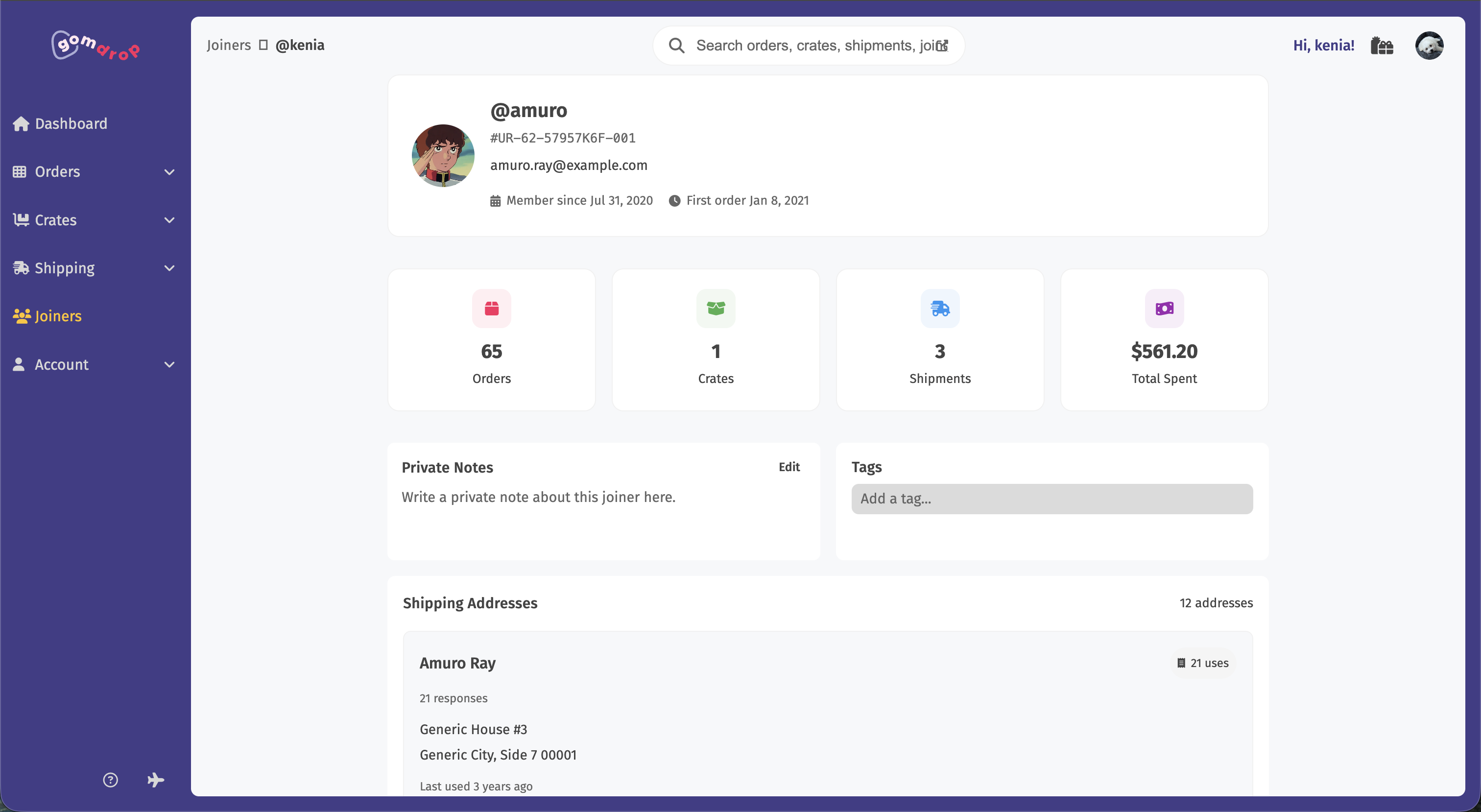
You'll see every order they've joined, every crate they've been part of, every shipment that's gone out to them, the addresses they've used, the tags you've applied, the notes you've taken, and a full activity timeline of submissions, payments, label purchases, and emails. Click any item to jump straight to the underlying order, crate, or shipment.
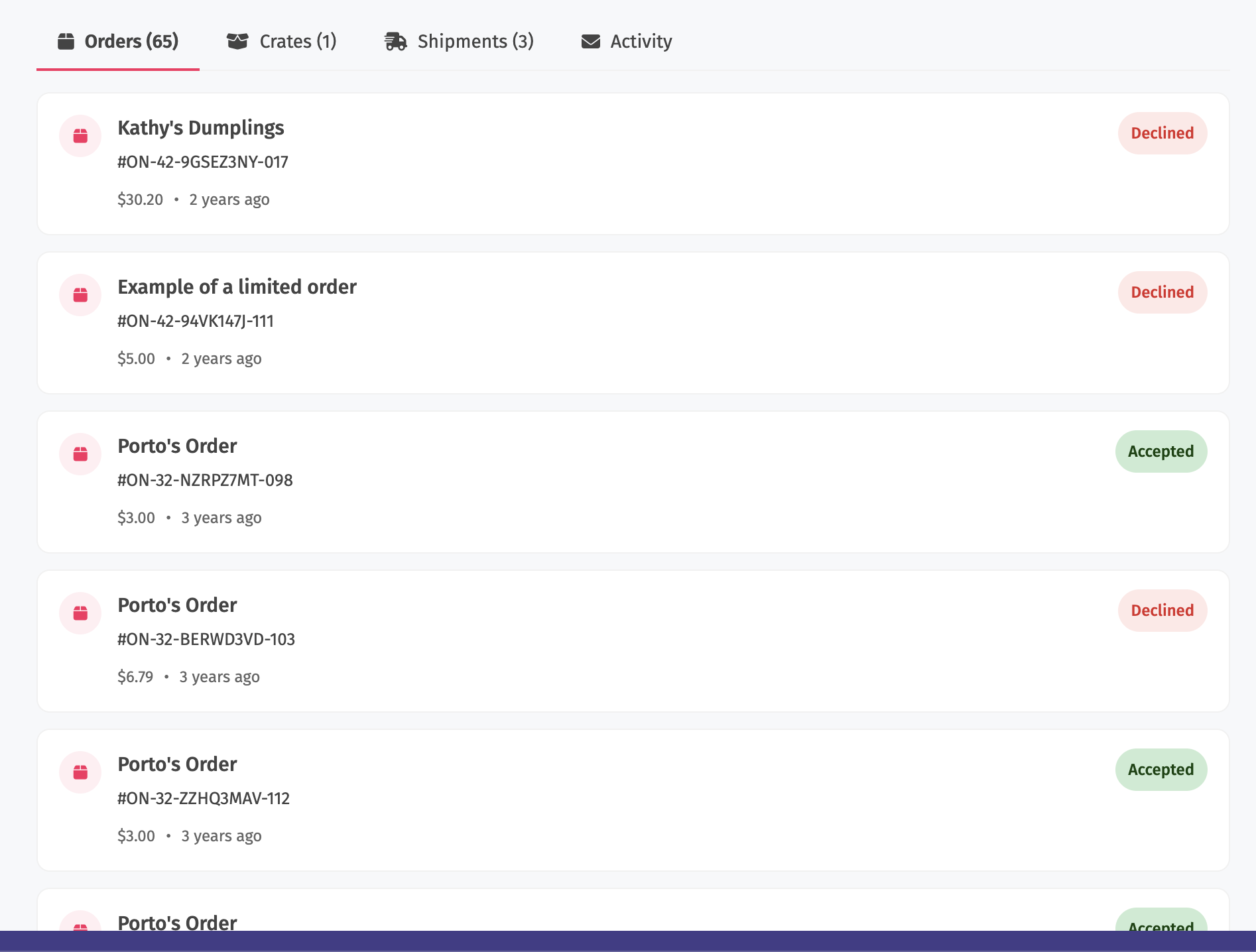
The notes and tags are per-joiner and persist across orders, so the "always pays late" or "needs combined shipping" context you build up doesn't disappear the moment an order closes.
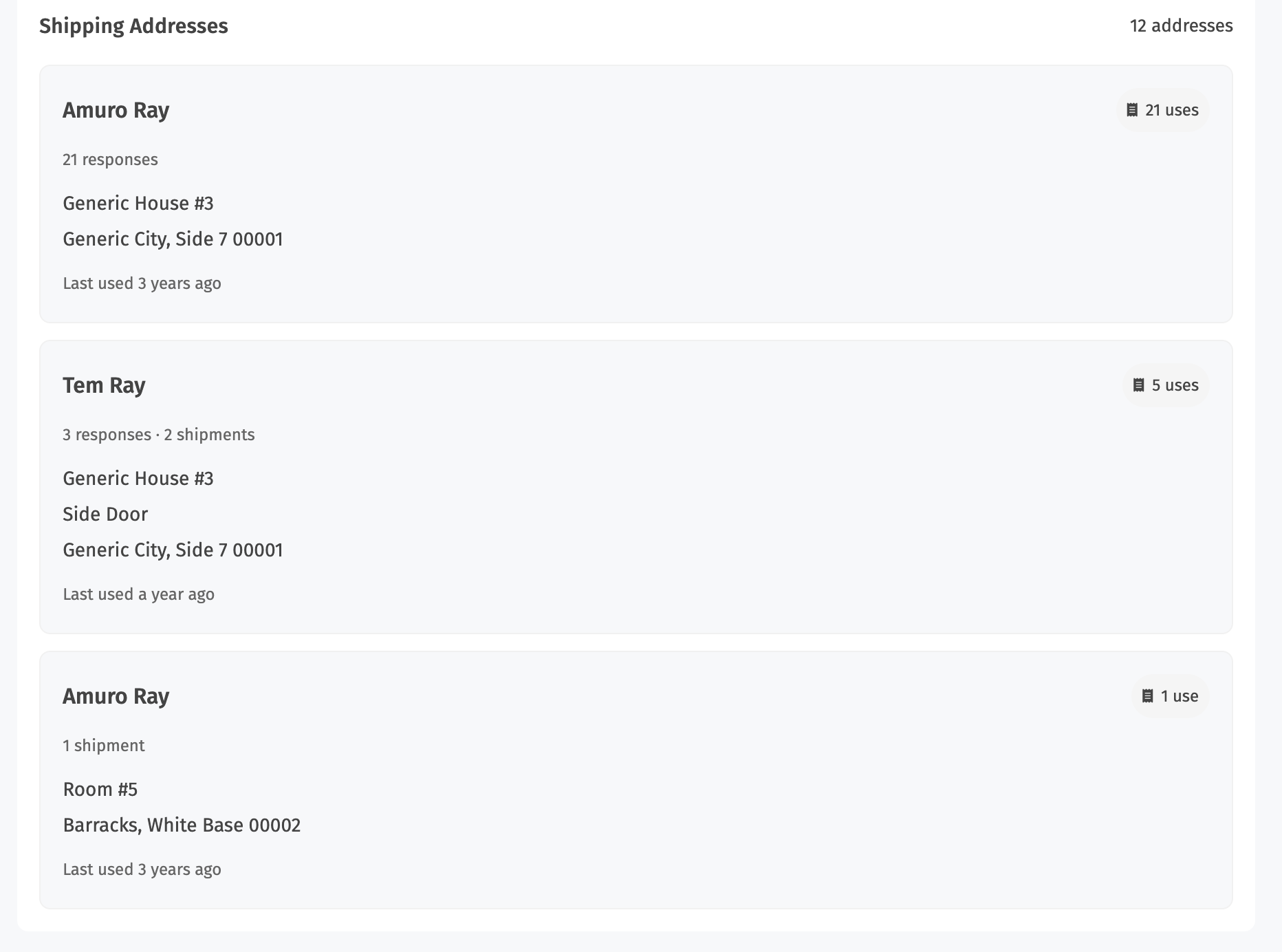
The addresses section gives you a quick at-a-glance breakdown of every address the joiner has used with you, sorted by usage.
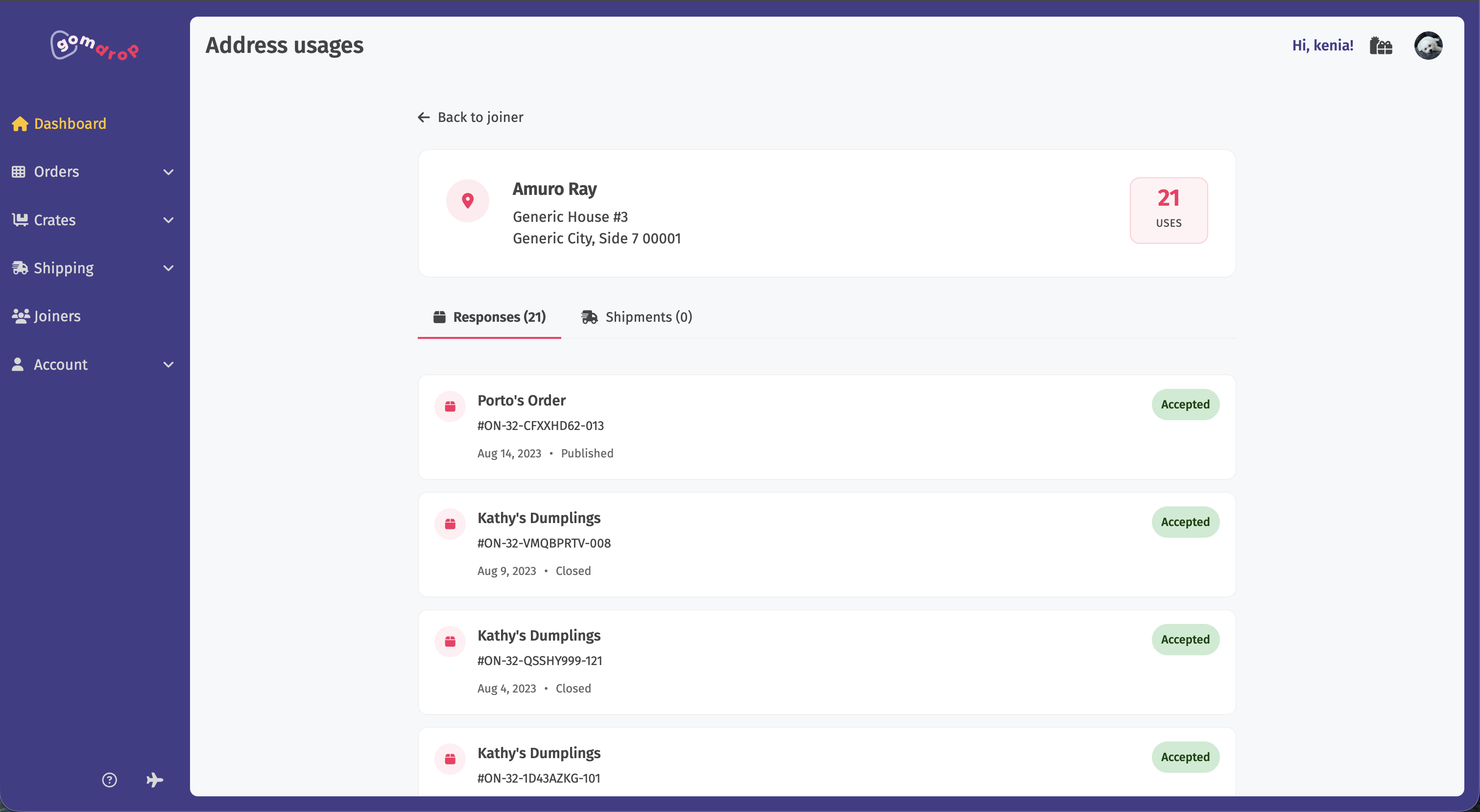
Click any address and you can do a reverse search on every place that address was used.
Joiner views are available on the Hobby tier and up.
Super Search
The other half of this update is a new search bar that lives at the top of your manage area on every page.
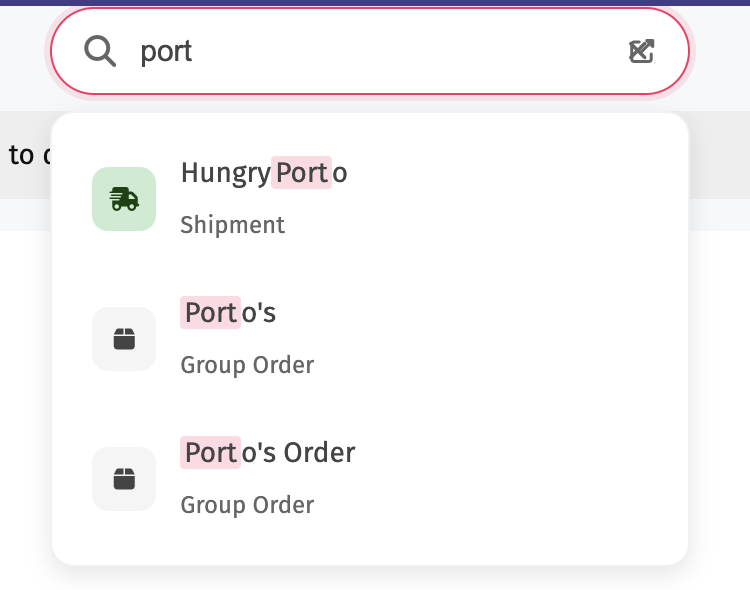
Start typing and you'll get instant results across your orders, crates, shipments, and joiners. It's the same idea as the public search bar from our last update, except the results are yours, scoped to your account, including private and password-protected stuff that would never show up in the public search.
Hit enter (or click the little arrow icon) and you land on the full search page, which works a lot like the public discover page. You get the same layout and a stack of facets you can mix and match: type, status, tags, currency, country, state, timing, direct pay, popularity, urgency, and more.
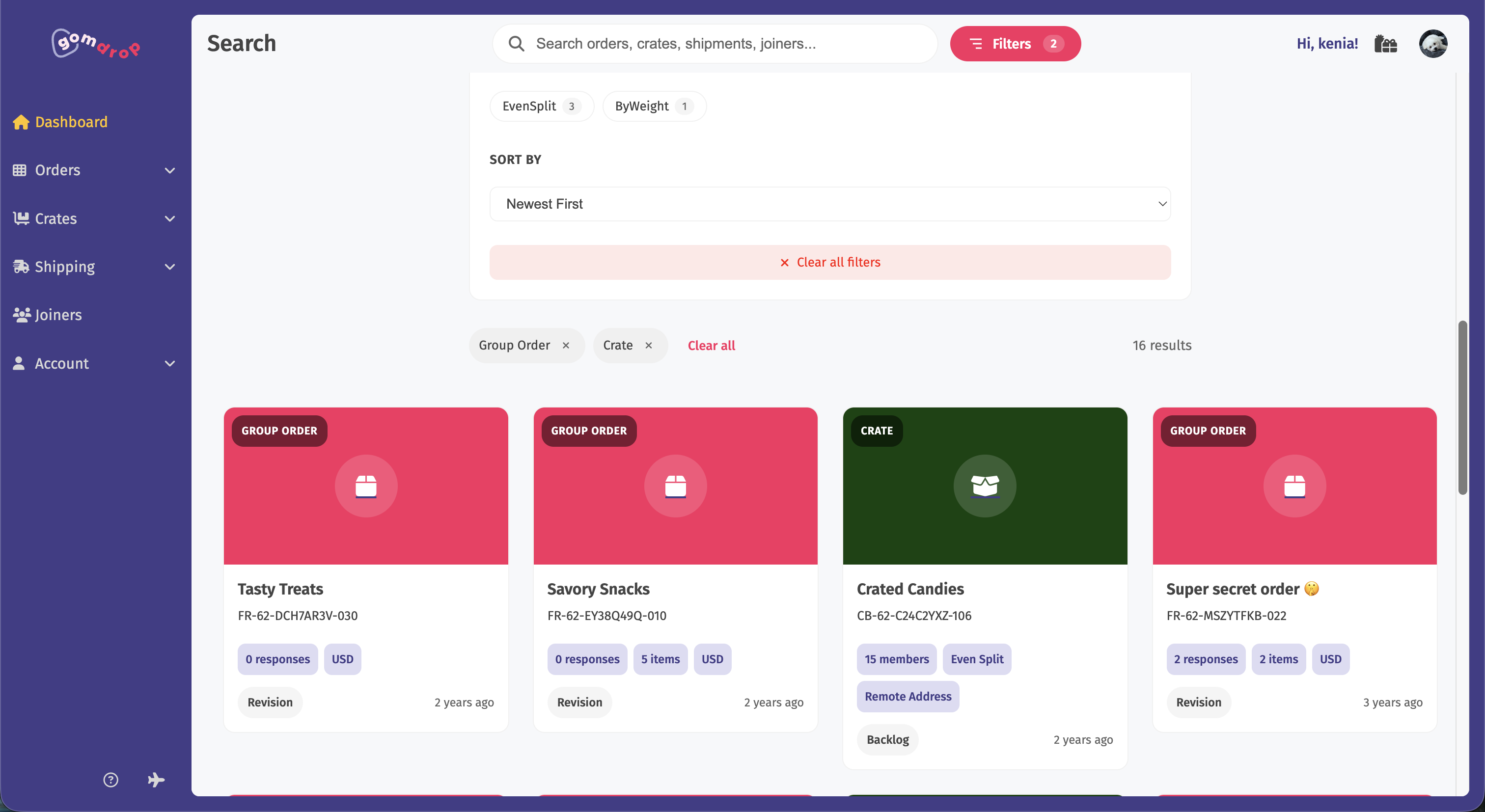
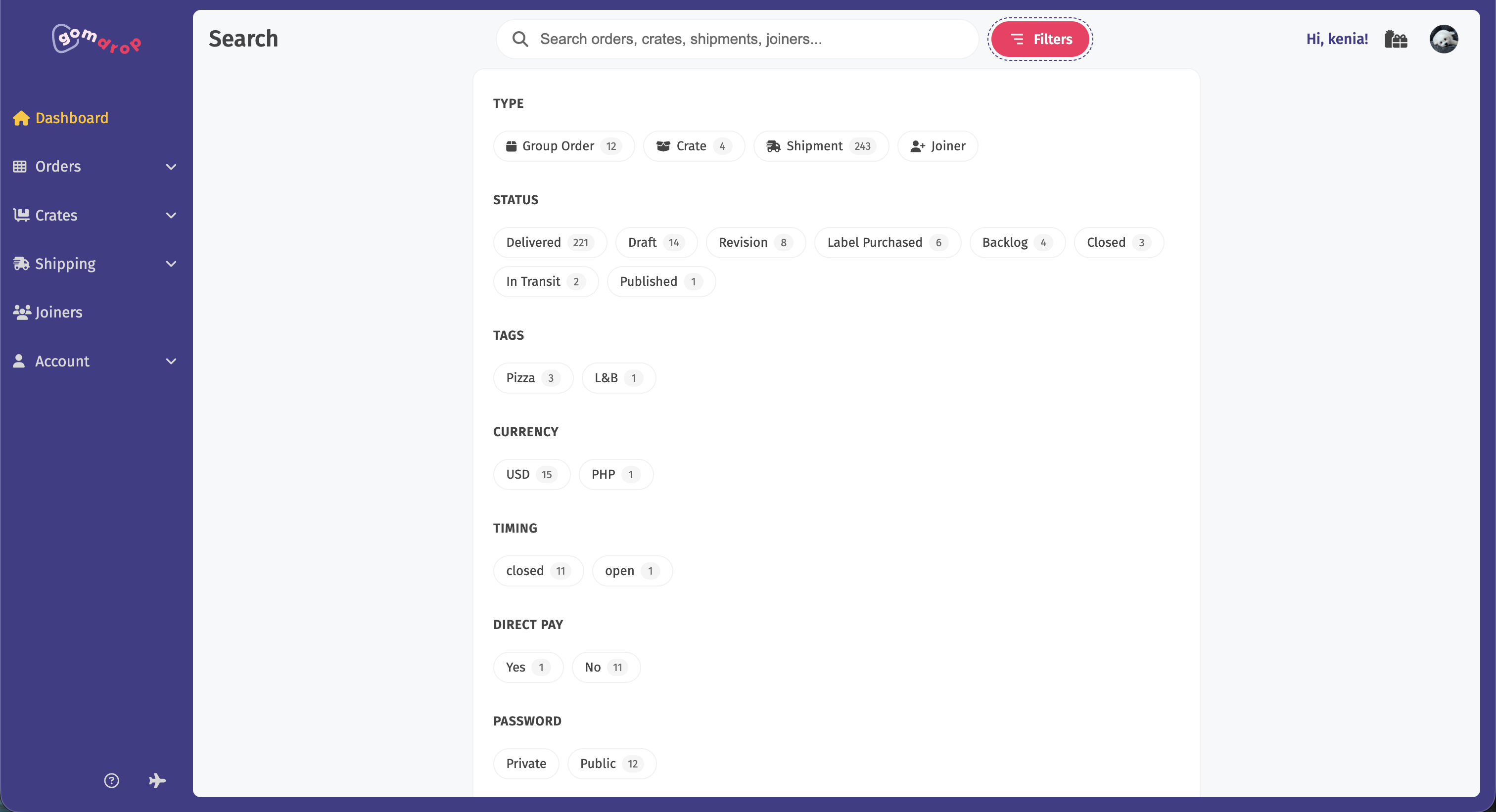
We tried to pick facets that actually mattered for managing orders rather than just throwing every field at the wall. If we missed one you'd find useful, let us know.
Behind the Scenes
To keep joiner views fast without making your dashboard cry every time you open one, we spent a lot of time architecting (and oftentimes rearchitecting) a solution. Every time a relevant action happens (a joiner submits a response, a payment goes through, a shipment gets a label, an email bounces), we asynchronously update a "view" of that joiner. It makes things fast, but it does mean there can be a slight lag between a change happening and that change showing up in the joiner view. In our testing it's generally been under a second, and we have a way to rebuild views from scratch if anything ever goes wrong.
This is the same general approach we now use for search indexing too, and it's going to power a lot of the next round of features. We've spent a lot of time rewriting the underlying bits of existing features to fit them into this new model, which is a nice segue into the next section.
Motivation
We said at the end of the last post that we were going to do something more GOM-oriented next, and this is it. For years, GOMs have been asking for these two features.
Joiner views fall out naturally from the desire to see everything from a "zoomed out" context relative to the person ordering, rather than our current approach, which is a very "narrow" view of the specific area you're working in (e.g. a crate). A question like "what's the deal with this person across everything I've ever run with them?" used to mean a lot of digging and mental gymnastics. Now it's a couple of clicks.
Super search came out of the same place. Once you're running more than a handful of orders, finding a specific crate or shipment by clicking through the dashboard gets old fast. We already had the search infrastructure from the last update. Pointing it at private GOM data was the natural next step.
Challenges
This update was technically heavier than it looks, mostly for boring infrastructure reasons. A few things that came up:
When do you stop refactoring?
Anyone who's worked on a sufficiently complex codebase knows the "ball of yarn" feeling. You grab one thread to fix one thing, and the next thing you know you've got a pile of yarn in your lap and no clear way to put it back.
We pulled a lot of yarn for this update. At some point you have to just tie it off and ship, and figuring out where that point was took longer than we'd like to admit.
Can we do this with limited resources?
This sort of functionality is great in terms of user experience but brutal in terms of storage and compute. Take a moment and think about how many orders you have, the items in them, the number of responses in various statuses, the crates they may or may not be in, how many shipments, the number of addresses a joiner has, et cetera. It's a large number, even for you, an individual GOM! Now imagine that across thousands of GOMs and then imagine the frequency in which that data changes (hint: by the time you've finished reading this sentence, tens if not hundreds of order responses were created). This amount of data and its ever-changing nature means that joiner views and search (both public and the new GOM search) can be quite brutal on modest setups like ours.
This is part of the reason why we made joiner views, in particular, a paid feature. Gating on payment means we 1) can skip the processing of a lot of GOMs and their data and 2) we can recoup some of the cost of upgrades. It's a win-win for us, though it does mean that not everyone gets to enjoy this new feature. We're hoping that some of the other free updates we're releasing (like public profiles in the last update) will be enough so free-tier GOMs don't feel left out.
What's Next
As annoying and time-consuming as it was to implement these new systems, they open up a lot of doors for GOMdrop. The next things we ship rely heavily on this groundwork being in place, and we anticipate rewriting more code internally until everything conforms to the pattern.
On the feature side, we have one GOM-centric update and one joiner-centric update in the pipeline. We're not sure which of the two will go out first, but we're leaning towards the GOM one since it'll likely have the bigger impact. As with previous update announcements, we'll keep the specifics a secret, but it'll be related to crates.
Have ideas for what we should work on next? We'd love to hear from you! Drop us a line on our Discord.